Machine Requests
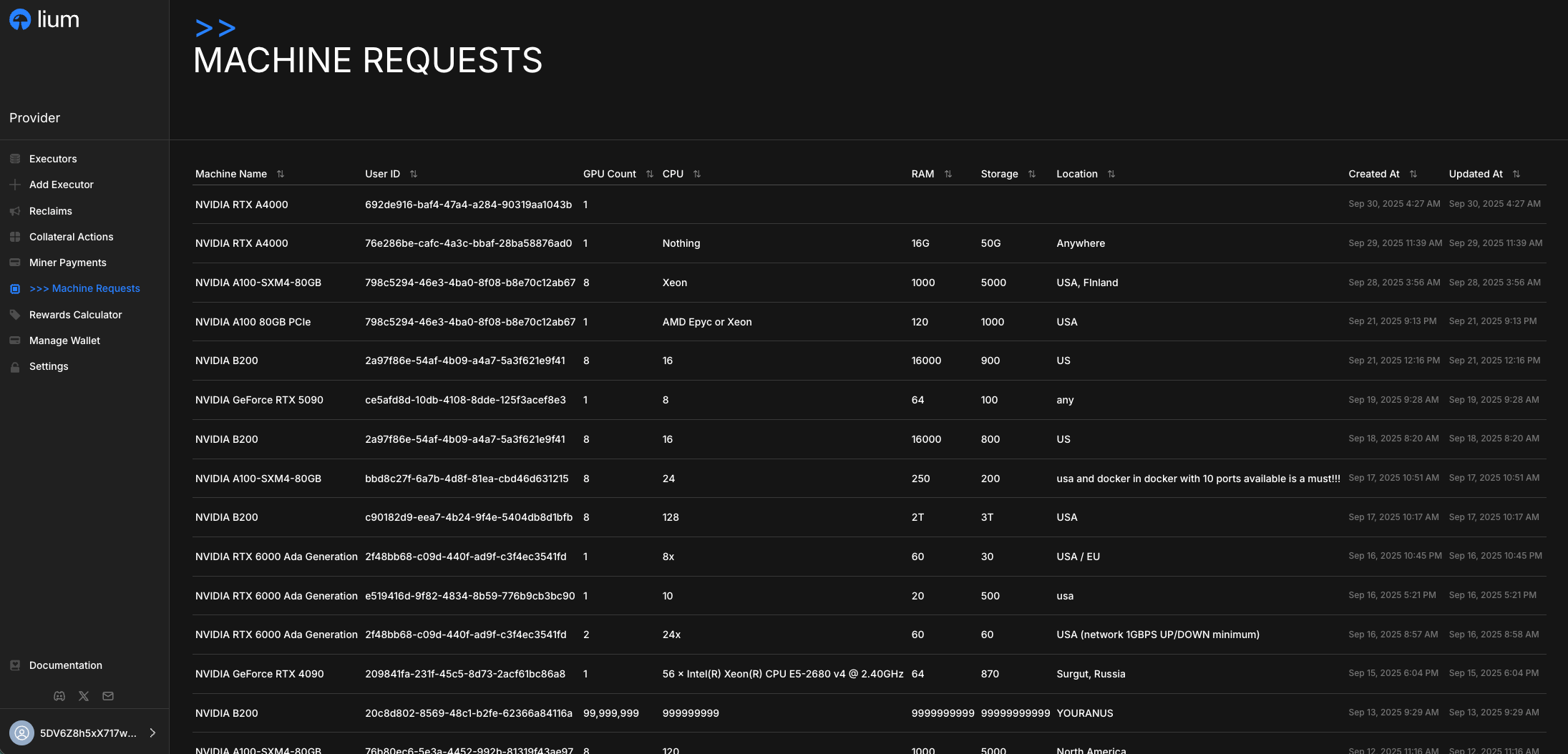
Machine requests are rental inquiries from renters seeking specific hardware configurations.
What are Machine Requests?
Machine requests are detailed specifications submitted by renters who need GPU compute resources.
How It Works
1. View Machine Requests
Providers can check the machine requests from renters in the Machine Requests page. What the page shows depends on whether any of your nodes has been verified by a validator (since 14 Sep 2026):
- At least one verified node — every open request with its full specification, as before.
- No verified node yet — the demand in aggregate: how many open requests there are per GPU class, and how many
requests fall in each hourly budget band (
<$1/h,$1-3/h,$3-10/h,$10+/h, andunknownfor a request whose GPU count is not set). Opening a single request says the detail needs a verified node.
The same rule applies to the API and to lium provider machine-request list|get (see the
CLI reference); the same aggregate is what the
API returns to a caller with no login at all. Requester name and spending figures are shown only to providers with
a verified node — on this page, through the API and in the CLI alike.
Requests that name you
A renter can address a request to one provider: they enter that provider's ID (the hotkey shown on every node card and on the renter-side Provider Statistics page) on the request form, or use REQUEST GPUs FROM THIS PROVIDER on that page, which fills the ID in. When a renter files or edits a request so that it names you:
- You get the request e-mail at the address on your portal account even if you did not subscribe to that GPU type in Subscribe Settings; a provider who is both named and subscribed gets one e-mail when the request is filed, not two; an edit that newly names you sends one more. No address on the account, no e-mail — the request still shows in the portal once one of your nodes is verified; until then the page the e-mail links to says the detail needs a verified node.
- The request shows Asked for you in the "Asked for" column of the Machine Requests list and on the request's page. A request that names another provider shows that provider's shortened ID; one that names nobody shows Any.
- The request stays on the list every provider with a verified node sees, so any of them can still answer it.
The renter sees only the ID they entered; your e-mail address is not shown to them.
2. Respond to Requests
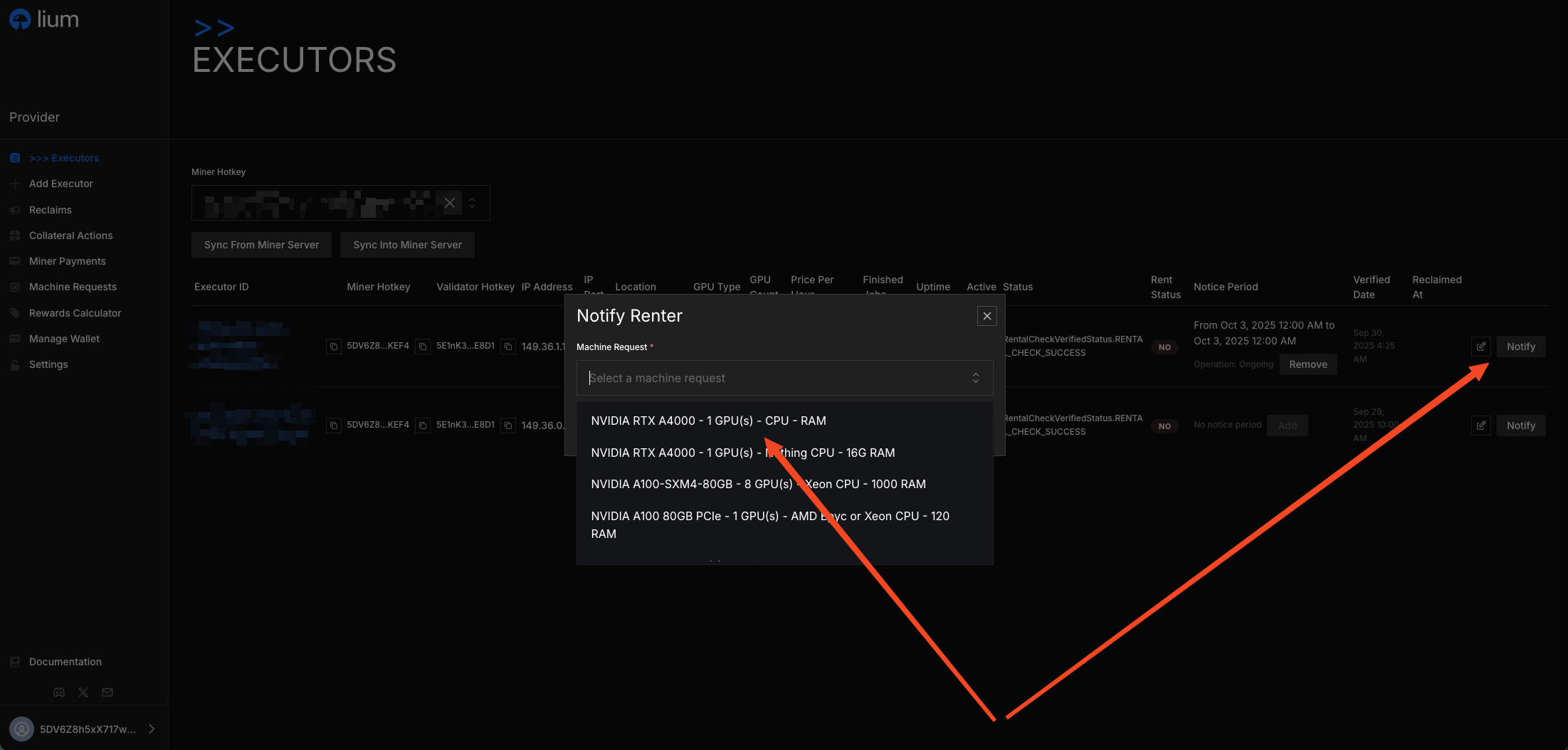
When you have a node that matches a renter's requirements, you can respond to the request directly from the Nodes page:
3. Notification Flow
When you select a machine request for your node:
- The renter receives an email notification about your available machine
- The renter can see your machine in their dashboard
- The renter can review your node's specifications and decide whether to proceed with the rental
You do not have to select a request for a renter to hear about your node: every 5 minutes Lium checks the marketplace listing for the GPU types with open requests, and a renter whose request a listed node can serve gets the same e-mail (at most once a day per request) — simply listing a matching node reaches them too.